Automating Your Microfinance with one operating system for members, deposit accounts, loan products, guarantors,
payments, receipts, reports, roles, and member self-service.
Prepare printable reports with filters, letterheads, totals, receipts, and export-ready views.
🖨️ Letterhead reports with large logo
📄 Loan statements for print, PDF, email, and WhatsApp
📚 Registration fee reports by product or member
🔍 Filter by date, branch, member, status, and product
🔐
Roles & Permissions
Access control and admin safety
Control who can view, create, edit, delete, bulk delete, approve, and manage sensitive workflows.
🧩 Grouped permission fieldsets
👤 Direct privilege access from role list
🗑️ Super-admin bulk delete controls
🚦 Active menu visibility for current page
👤
Customer Portal
Member dashboard and self-service
Customers can log in to view their accounts, loan payments, membership details, balances, and recent activity.
🏠 Customer dashboard with account and loan overview
🪪 Membership details and profile record
📌 Transaction request history for deposits and withdrawals
📱 Portal navigation captured from the live system
💳
Customer Loans & M-Pesa
Loan applications, schedules, checkout
Members can apply for loans, inspect loan details, calculate repayment expectations, and use the M-Pesa checkout flow for repayment.
📋 My Loans dashboard with balances and payment action
🧮 Loan calculator and policy-aware application flow
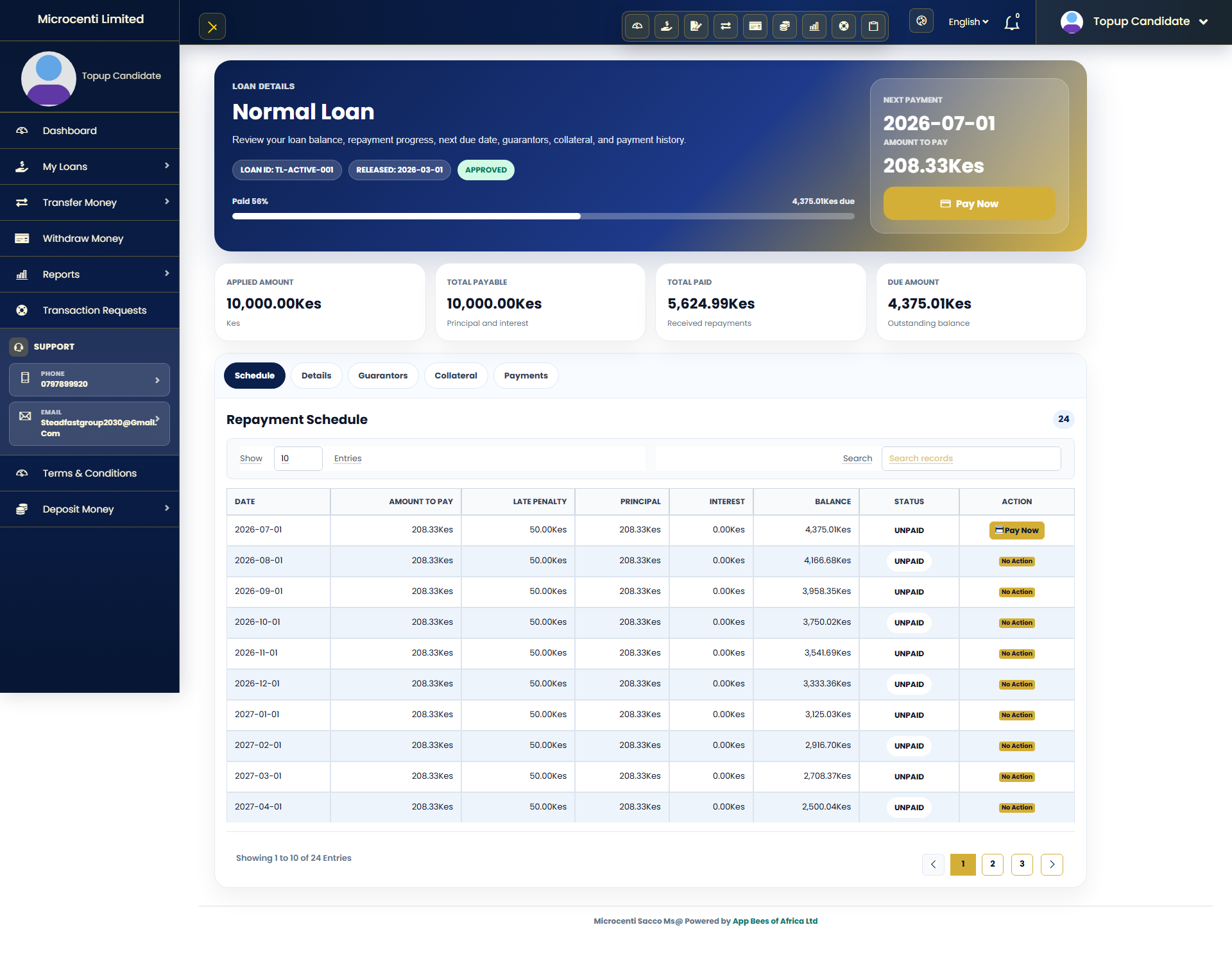
📆 Loan details with repayment schedule and guarantors
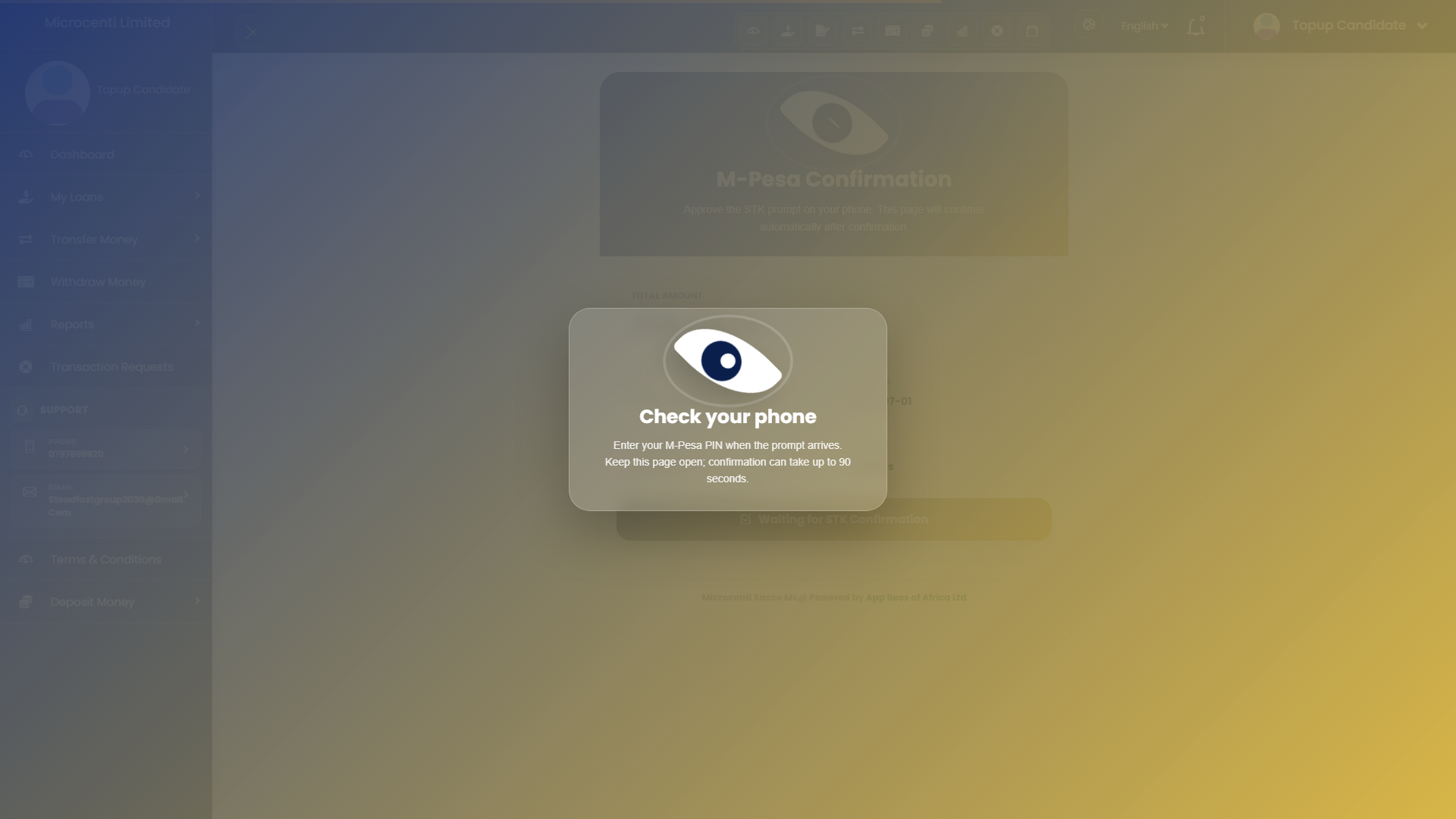
📲 M-Pesa STK confirmation screen for loan repayment
🔁
Customer Money Movement
Deposits, withdrawals, transfers
Customers can move money through own-account transfers, other-member transfers, deposit requests, gateway deposits, and withdrawal requests.
🏦 Manual and automatic deposit menus
↔️ Own-account and other-member transfer pages
💸 Withdrawal methods filtered by account policy
✅ Request tracking for deposits and withdrawals
📑
Customer Reports
Statements, balances, transaction reports
Members can open their own account statement, account balance report, and transaction report without staff intervention.
📄 Account statement from member account data
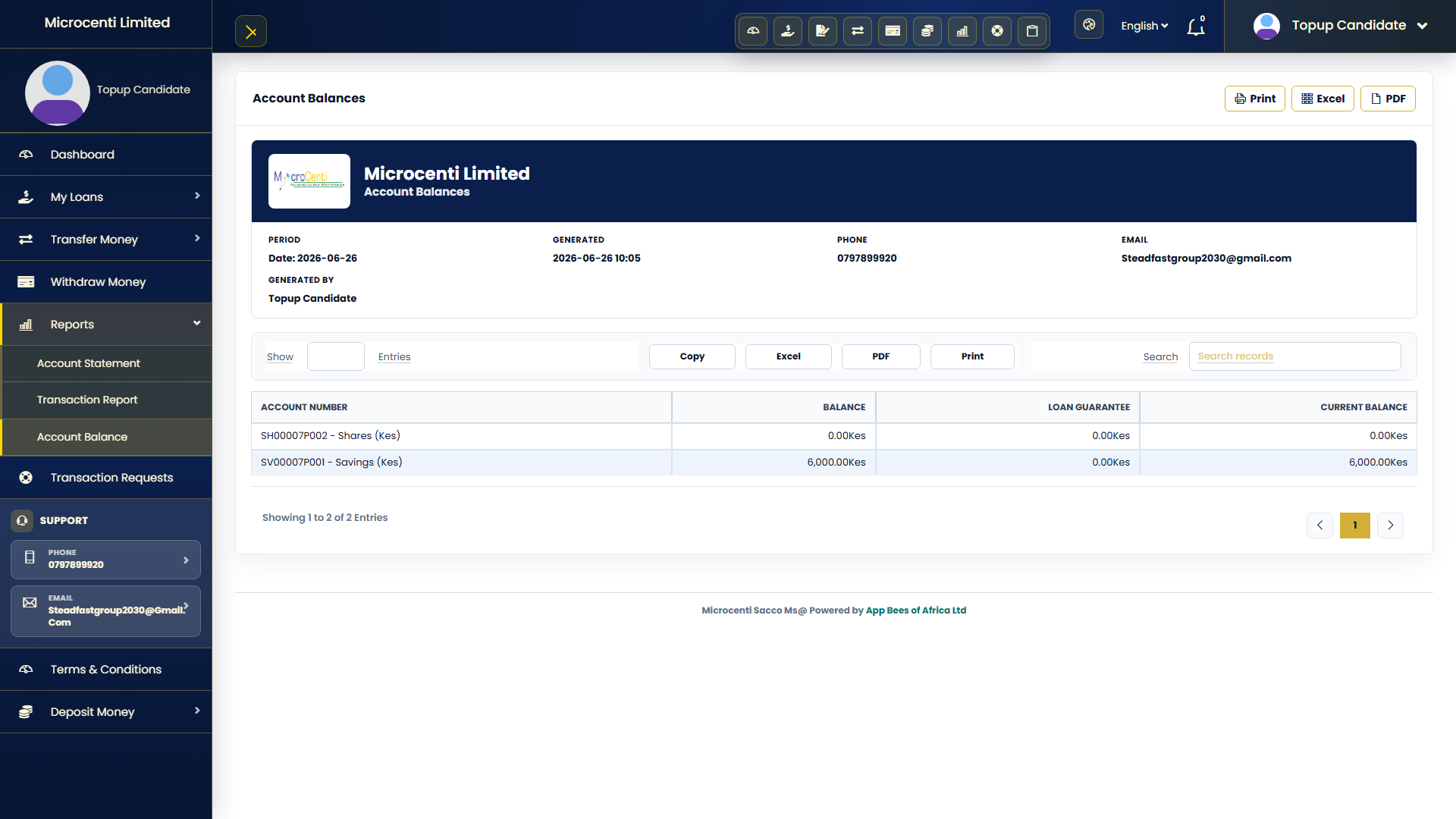
📊 Account balance report for deposits and shares
🔎 Transaction report with filters and searchable tables
🖨️ Customer-ready pages for printing or saving
⚙️
Settings & Automation
Company setup, payments, messaging
Configure company details, logo, currencies, gateways, deposit methods, withdrawal methods, and notification settings.
🏢 Company letterhead data from settings
🌍 Currency and language support
📲 Payment gateway configuration area
🎨 Theme switcher with readable contrast
⚡
Speed & Scale
Large member lists and heavy tables
Use searchable tables, server-side loading where available, compact mobile rows, and bulk actions for high-volume work.
📋 DataTables with 10, 100, 500, 1000, and all options
➕ Mobile expandable rows for compact actions
📦 Bulk assignment and bulk deletion patterns
🚀 Leaner screens for large daily operations
Expandable Workflows
Built for branch teams and administrators.
Keep core work guided: define policies once, validate in real time, assign in bulk,
then print or share clean customer-facing documents.
🏦 Create deposit products and attach accounts
Configure product policies, then assign accounts to all or selected members. The assignment workflow creates account records only, not deposit transactions.
🤝 Evaluate and approve loans
Product rules can check deposits, guarantors, repayment history, fees, penalties, processing days, and sequence rules before approval.
💳 Receive repayments and allocate automatically
External or internal payments clear unpaid schedules oldest-first. Excess external payments can be moved into a selected deposit account.
🖨️ Print receipts, loan statements, and reports
Staff can open receipt-style modals, full-page print views, PDF-ready reports, and shareable loan statements with company details at the top.
Reports & Documents
Customer-ready paperwork without cleanup.
Reports and statements use company details from settings, so documents stay consistent as the organization changes.
📄 Loan Repayment Statement
Shows borrower details, schedules, payments received, balances, guarantors, and signature lines for printing or saving as PDF.
🧾 Transaction Receipts
Deposit and withdrawal receipts can open from list rows, display in a modal, and print in the same receipt layout.
📊 Registration Fee Reports
Filter registration collections collectively or individually by date, member, product, status, and branch.
Quick Answers
Useful questions staff ask.
Can product rules be changed without code?
Yes. Deposit and loan behaviors are designed around database product settings, including minimums, fees, refundability, guarantor eligibility, and repayment rules.
Can staff use the system on mobile?
Yes. Public pages and admin screens are styled responsively, and mobile tables can use compact expandable rows where appropriate.
Can documents be shared outside the system?
Yes. Printable statements and receipts can be saved as PDF, emailed, or shared through WhatsApp where the app provides those actions.
Does bulk assignment create transactions?
No. Bulk assignment creates deposit accounts for members. Actual financial entries are posted from the transactions workflow.
Ready to continue into Microcenti?
Register your SACCO as a tenant or sign in to manage members, loans, deposits, reports, permissions, and customer documents.
Loan product policies can enforce savings multipliers, prior repayment performance, processing fees, insurance, affidavit fees, and processing days.
Payments are distributed to unpaid schedules from oldest to newest, with excess external payments routed to a chosen deposit account.
📈 Reports & Printing
Prepare printable reports with filters, letterheads, totals, receipts, and export-ready views.
Reports are designed for office use: clean headers, centered titles, strong totals, and print CSS that hides page controls.
Receipt and statement modals keep the same visual layout when printed.
🔐 Roles & Permissions
Control who can view, create, edit, delete, bulk delete, approve, and manage sensitive workflows.
Permission pages are organized by feature group so admins can scan and update privileges faster.
Dangerous actions can be restricted and shown only to authorized roles.
👤 Customer Portal
Customers can log in to view their accounts, loan payments, membership details, balances, and recent activity.
The customer side uses the same database records and product policies as the admin side, so balances, repayment schedules, and account eligibility stay consistent.
Customer menus include dashboard, my loans, transfer money, withdraw money, reports, transaction requests, terms, and deposit money.
💳 Customer Loans & M-Pesa
Members can apply for loans, inspect loan details, calculate repayment expectations, and use the M-Pesa checkout flow for repayment.
Loan pages expose the same repayment schedules and policy calculations the staff side uses, including due dates, balances, penalties, and payment history.
The M-Pesa checkout screenshot is captured from the real customer loan payment page, including the waiting-for-phone-confirmation state.
🔁 Customer Money Movement
Customers can move money through own-account transfers, other-member transfers, deposit requests, gateway deposits, and withdrawal requests.
Deposit and withdrawal screens reuse the product minimums, allowed withdrawal flags, charges, and account balance rules already configured by admins.
Transfer pages keep source and destination accounts explicit so movement is auditable and easier for members to understand.
📑 Customer Reports
Members can open their own account statement, account balance report, and transaction report without staff intervention.
Customer reports are scoped to the authenticated member so users only see their own records.
These pages are useful for self-service, branch queues, and sharing customer account summaries without manual spreadsheet work.
⚙️ Settings & Automation
Configure company details, logo, currencies, gateways, deposit methods, withdrawal methods, and notification settings.
Company name, logo, phone, email, and address are reused across forms, receipts, reports, and printable documents.
Theme choices are designed to keep text readable on light and dark backgrounds.
⚡ Speed & Scale
Use searchable tables, server-side loading where available, compact mobile rows, and bulk actions for high-volume work.
High-volume views are shaped around searching, filtering, selecting rows, and completing work without scrolling through every detail.
Mobile table layouts can hide secondary information behind expandable controls.


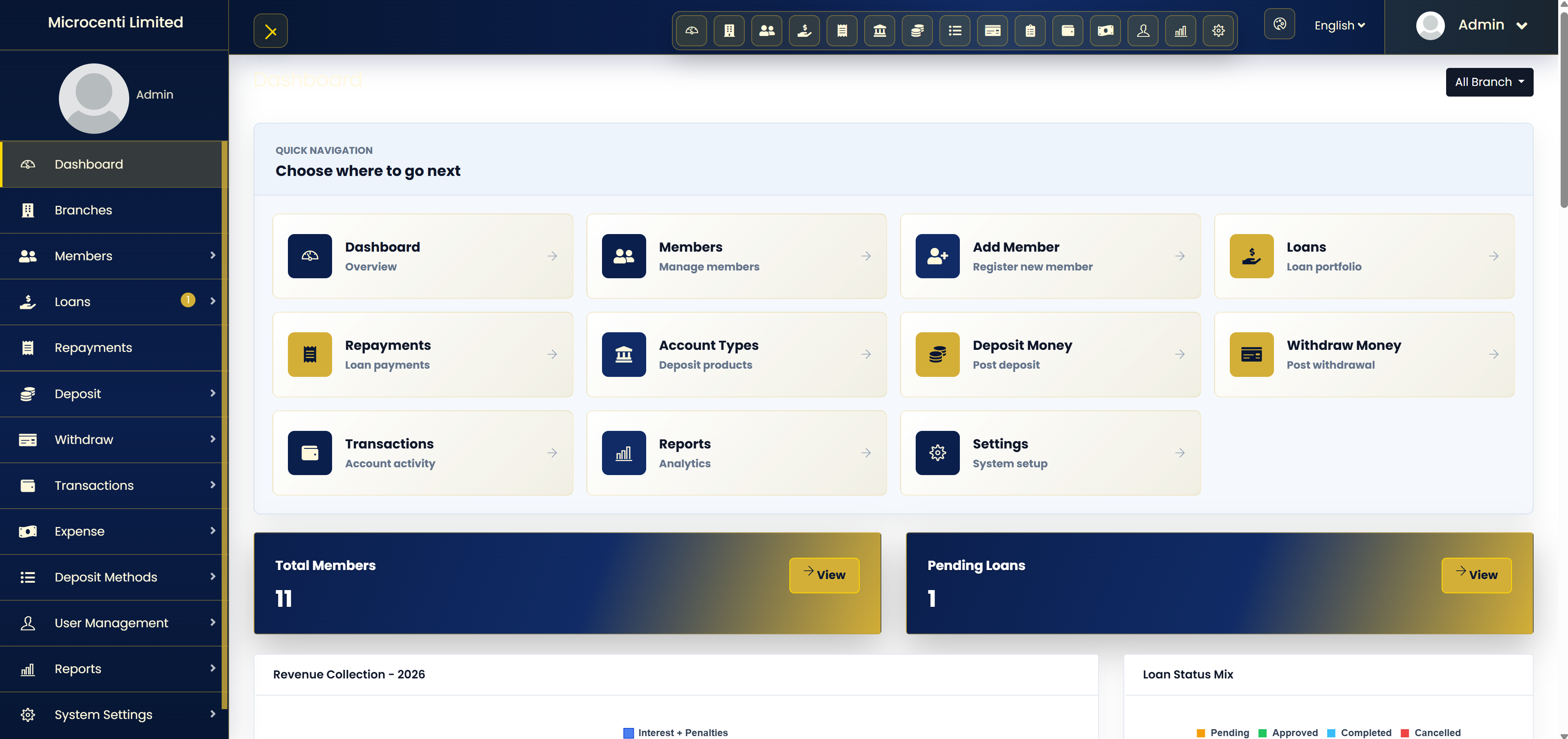


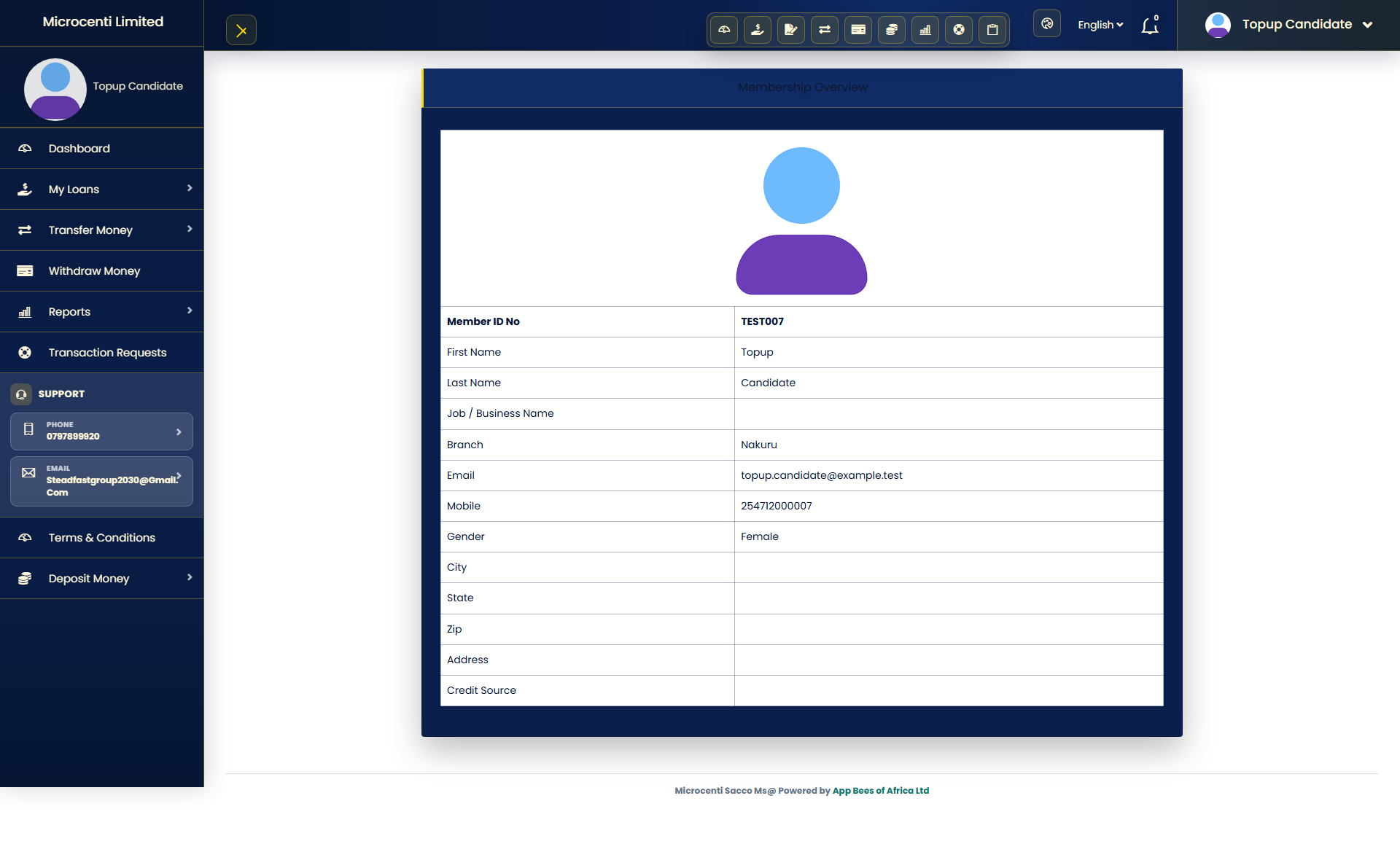 Customer membership

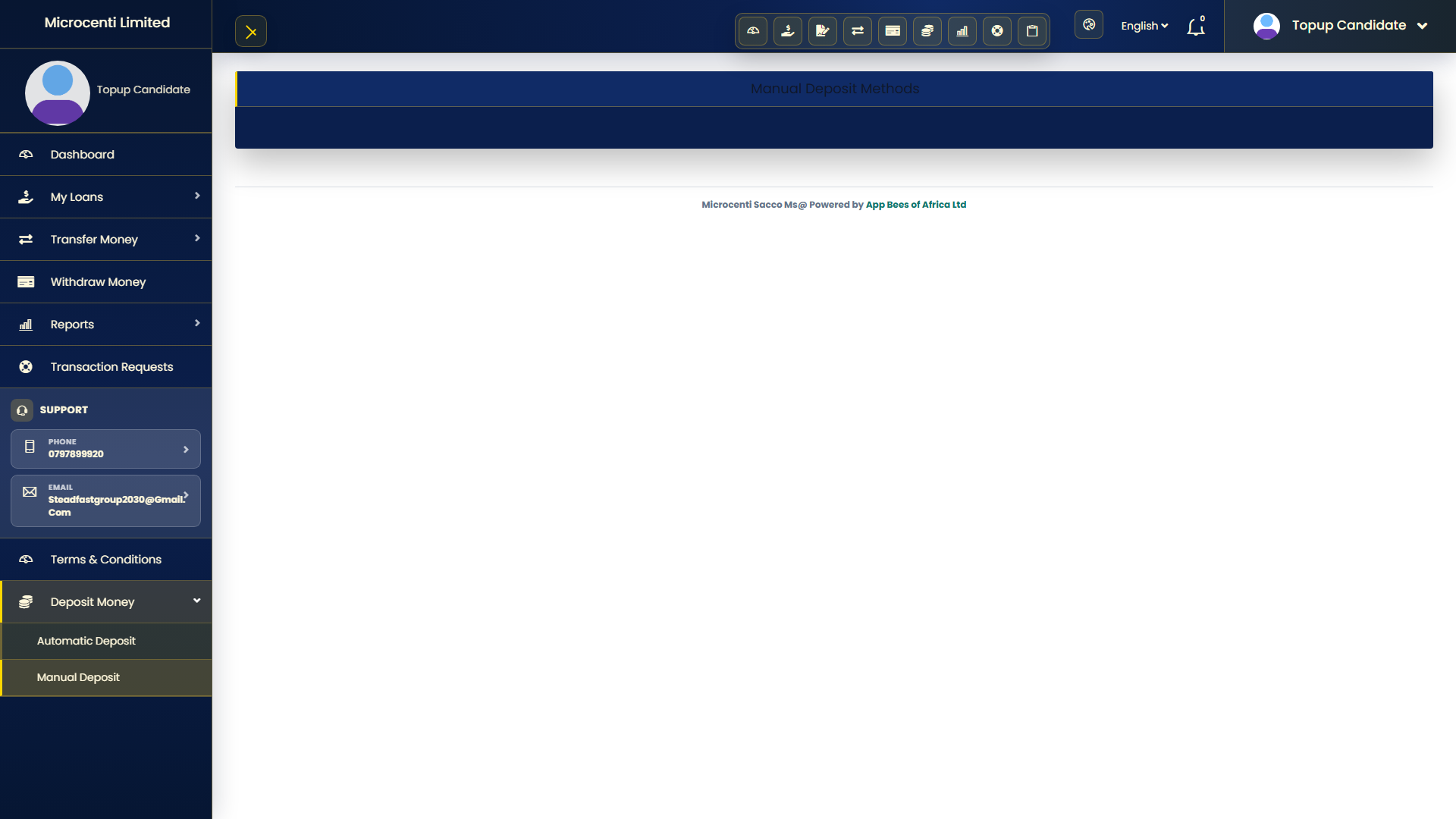 Manual deposit
 Automatic deposit

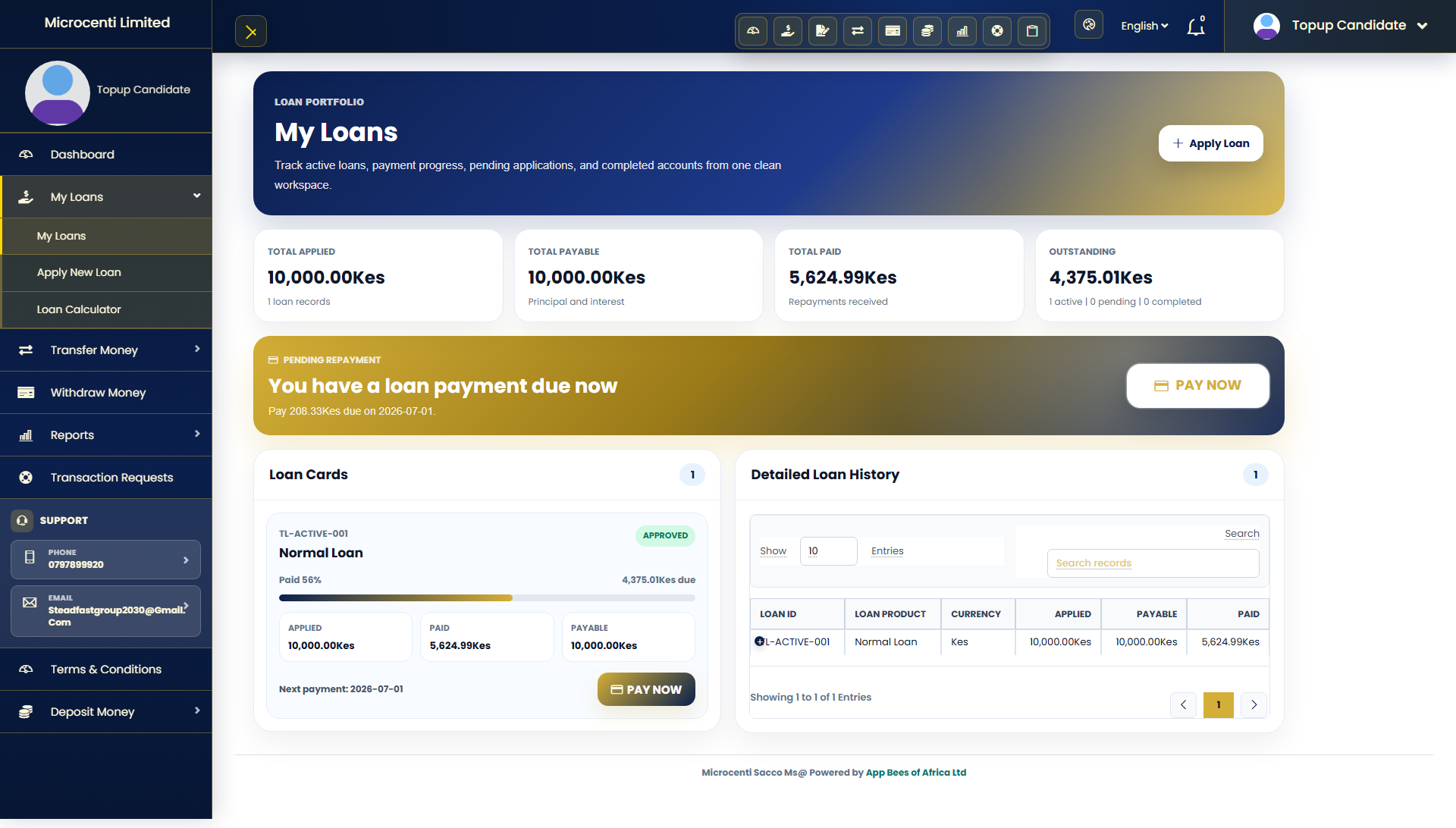 Customer loans
 Loan details
 Loan application

 Transaction requests
 Terms
Terms

 Other member transfer
 Withdraw money

 Customer statement
 Customer balances
 Customer transactions